PAD Marker Design
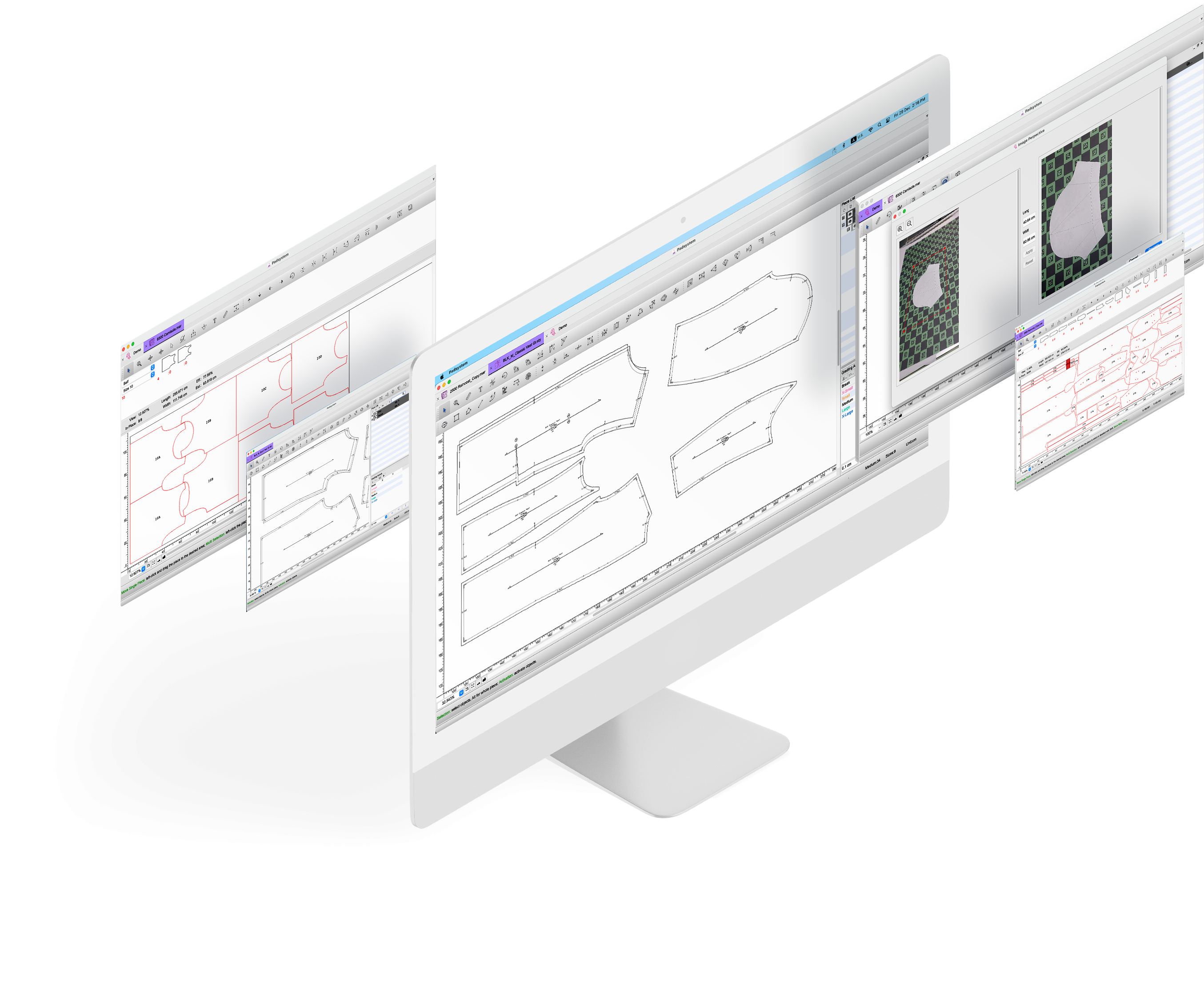
Developed by a leading world-class CAD/CAM solution provider, PAD Marker Design is simple to operate, allows you to quickly create efficient markers, plan your fabric purchasing effectively. The new PAD² version 5.0 Marker Design is ideal for business enterprises with specific needs in marker making for mass production. It goes beyond the basics – handles your marker layout efficiently, seamlessly integrates with PAD AutoMark Engine to create markers automatically to achieve maximum fabric utilization. You have a complete control over marker making process, generate numerous cut files for different cutters.
Highlights
- Easy to use
- Powerful yet affordable
- Multi-platform
- Open architecture
PAD is user-friendly and designed to do the way you work. No more worries on working with marker in front of your computer, because PAD provides lot of handy tools while you prepare marker file. All files/data are completed instantly and accurately.
PAD offers all the essential marker making tools such as marker creation, fabric simulation area, special fabric/marker treatment, and more..., at reasonable price.
PAD is one of the only international CAD software that offers a choice of installing in Windows, Mac and Linux platform.
PAD² version 5.0 comes with an open architecture which enables any 3-party plug-in or add-on to further enhance the functionality. PAD Marker Design integrates and supports various devices including but not limited to: Nesting Engines, 3-party Plotter Drivers.
Key Features:
- Opens multiple pattern files simultaneously.
- Immediate display of the changes in marker simulation area on full view mode
- Highly flexible, allows change of fabric, marker dimensions, number of layers, garment quantity and all parameters at any stage of operation.
- Instant estimation of fabric consumption.
- Allows either manual mode or Pad Engine to simulate fabric efficiency.
- Comprehensive tool box to manipulate piece location and direction.
- Handles plaid and strip, fold and tubular and one way fabric.
- Handles spacing, pattern refreshment, sectional marker and marker scaling.
- Generates various cut file for different cutters.
- Prepares piece cutting on CNC cutter cutting sequence.
- Integration with automatic marker engine.
- Supports any industry plotter. (Click here for available plotter drivers)
- Integrates seamlessly with PAD AutoMark Engine which is a professional nesting tool for automatic marker making, quickly creates the most efficient production markers.
Display of Mini Marker
![]() v.5.0 Marker Design Feature List |
| User-friendly tools: dynamic floating toolbars, dropdown menus, shortcuts … |
| Fast and easy marker creation using existing patterns |
| Print and preview mini marker layout with common printer |
| Fabric usage simulation panel |
| Powerful manual marker tools |
| Special fabric treatment: plaid & stripe, fold and tubular, oneway fabric |
| Piece manipulation and treatment: Pattern Refreshment, Spacing, Shrinkage, Scaling... |
| Lockin Marker (copy and rotate marker layout) |
| Piece sequence arrangement |
| Cut file optimization: Sequence, Knife Start Point, Lift and Plunge, Symmetrical Cut… |
| Support of network plotting |
| Supported File Formats: - Previous pad SYSTEM File Formats: Version 4 file. - DXF File Formats: DXF-AAMA, DXF-Basic, TIIP, HPGL - Other File Formats: Text, Illustrator (read only) |
| Supported cut file formats: Ansi file, Eastman file |
| Open platform for auto-marker engine plug-in |
PAD Trial version is now available!!
PAD is offering FREE trial version of PAD² V5 Pattern Enterprise and Marker Design for 30 days! The trial version is almost fully functional and offers every feature of the product for you to test-drive. Act now to download the trial version in a minute, enjoy the powerful pattern and marker software!
You just need 4 simple steps to download the trial version. Click here to learn more about PAD trial version.
|Try Now|
Restrictions of trial version
The trial version has a number of restrictions, please read below carefully,